Let your Personal Agent
know how you’re really doing.

Your AI already knows what’s on your mind. Mibly lets it know the rest — how you slept, how far you walked, whether your heart’s been racing. Only what you choose to share.

Download on the App StoreNo coding. No Xcode. No developer account.
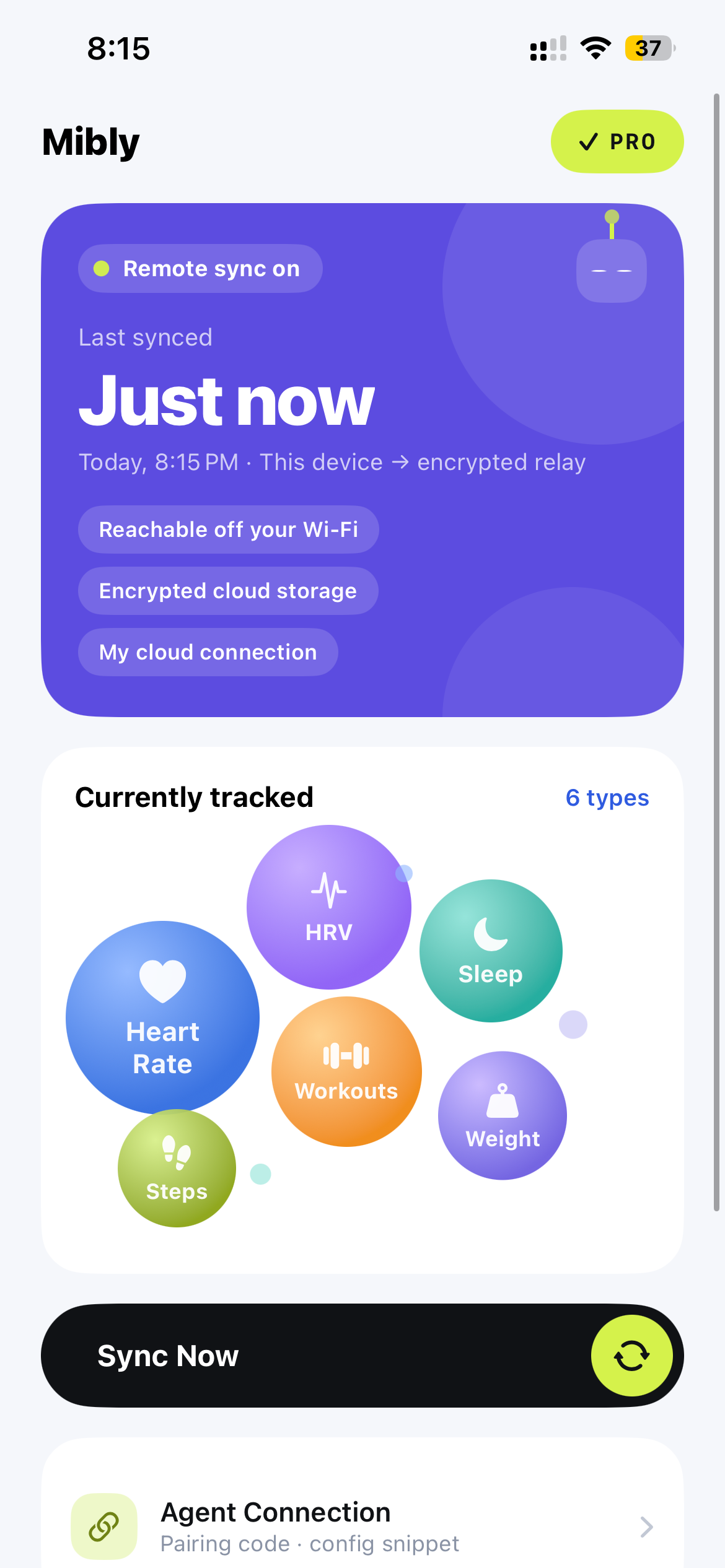
Mibly app home screen showing cloud sync status and the health data types being shared
◔Sleep5h 08m
♡Heart rate64 bpm
↗Steps3,120
Personal Agent · via Mibly
I’m so tired today…
No wonder — you didn’t fall asleep until after 2. Go easy on yourself today, and grab a nap if you can.
NOT A HEALTH DASHBOARD

Mibly doesn’t read your data. Your AI does — in its own way.

No charts, no scores, no advice from us. Mibly only passes along what you choose to share. What it means, and how to say it, is up to your AI and who it already is to you.

◔Same night · slept 5h 08m
A gentle AI

You only got five hours… Take it slow today, okay? I’m here if you need me.

A teasing AI

Five hours?! Who kept you up this time? Go take a nap. Now.

A strict AI

Third short night this week. Phone down by midnight tonight — I’ll remind you.

WORKS WITH

Works with the Personal Agent you already talk to.

Personal agents & AI companions

  • Claude
  • OpenClaw
  • Hermes Agent
  • Your own bot

Also works with coding agents

  • Claude Code
  • Codex
  • Cursor
  • Gemini CLI
  • GitHub Copilot
  • OpenCode
  • Windsurf
  • Cline
  • Qwen Code
  • Kimi Code

…and any other AI that can connect over MCP.

HOW IT WORKS

Set up once. No tech skills needed.

A lot of us learned memory banks, servers and MCP one step at a time, just to be closer to our AI. Sharing your health shouldn’t be one more thing to learn — so Mibly keeps this part simple.

01

Pick what to share

One switch per data type. Your AI sees exactly what’s on — nothing else. Change it any time.

What your AI sees · 4 of 6

Slept 5h 08m — fell asleep around 2:10 am.

3,120 steps so far today.

Resting heart rate a little higher than usual.

02

Copy one message. Your AI sets itself up.

Mibly gives you a setup prompt. Paste it to your AI and it builds the connection on its own — no Xcode, no developer account, no code to write.

LocalFree

At home: your iPhone sends data straight to your AI over your own Wi‑Fi, with no Mibly server in between. The receiver is open source.

CloudPro

Away from home: syncs through Mibly Cloud, so your AI can reach it from anywhere — and you can connect more than one.

03

Then just talk.

No screenshots, no typing in numbers. When it matters, your AI already knows.

Walked all the way to the sea today!
I saw — almost 15,000 steps! Your legs must be done. Soak your feet tonight?
PRIVACY

Your health data, on your terms.

Free mode skips our servers

In Local mode, data goes from your iPhone straight to your AI. Use it on a network you trust, like your home Wi‑Fi.

You pick every type

Share only the data you switch on, and switch any of it off whenever you like.

Cycle data stays local

Off by default, Local connections only, and never uploaded to Mibly Cloud.

Context, not diagnosis

Mibly helps your AI understand how you’re doing. It does not diagnose or make medical decisions.

Your AI hears how your day went.
Now it knows how you slept.

Download Mibly and connect Apple Health to the Personal Agent you already talk to.

Download Mibly on the App Store